
The teaching guide
Teach from the work. Guide the next attempt.
How a Threom lesson runs: invite a student, assign one task, read the response, return one next step, check the revision. Five minutes to read.
You can read this without an account. The workspace needs a sign-in and asks you once to enable your tutor dashboard.
One teaching cycle
Invite the student.
Open Students and click Invite a student, then Create invite. Share the link or the code.
The student signs in and confirms the link. Until they confirm, you see nothing of their work.
Tell the student what you will review and how you give feedback before you send the link.
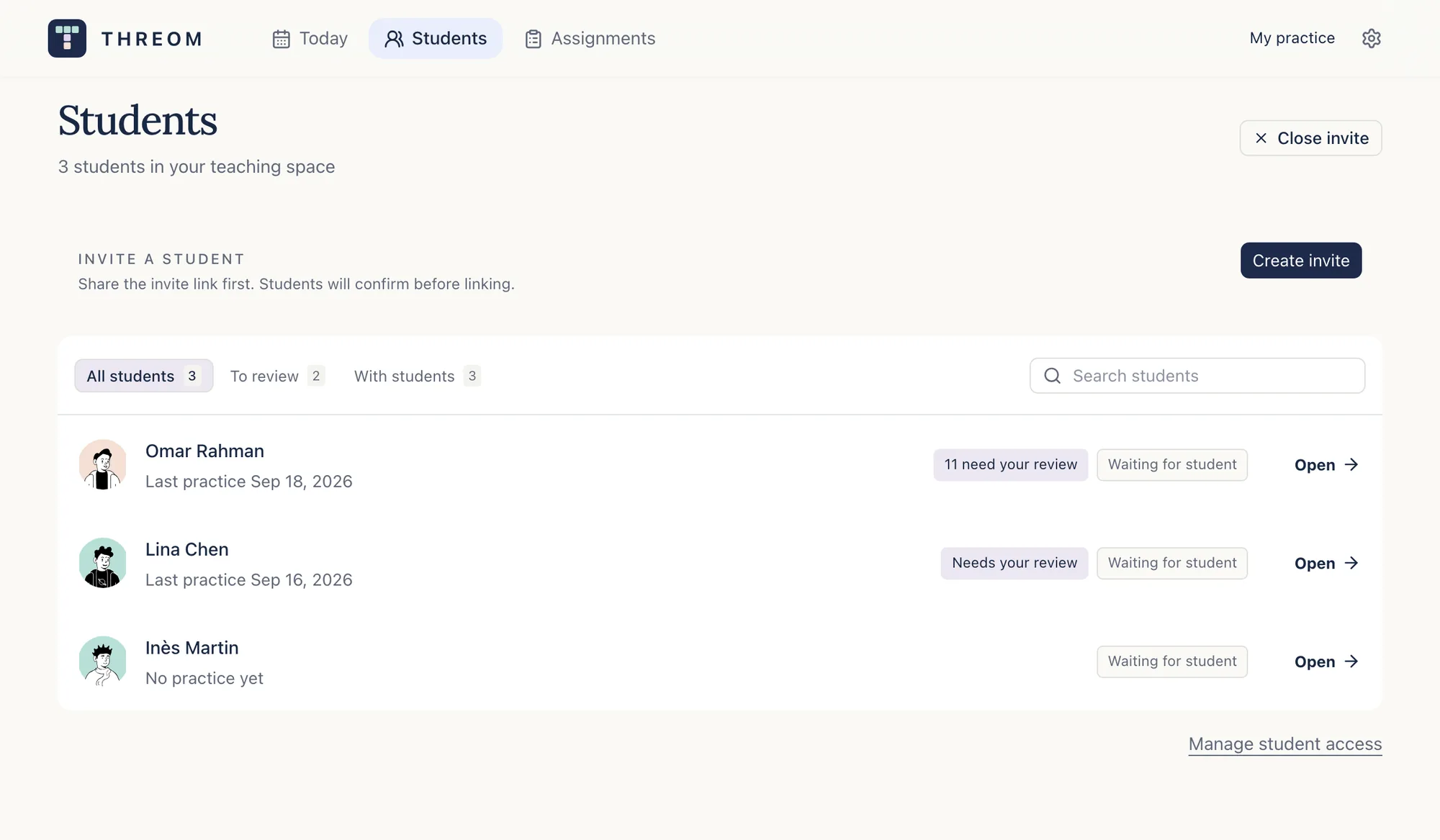
Students → Invite a student Assign one task with one focus.
Open Assignments and click Create assignment. Choose the student and the practice mode.
Writing: pick a saved question or paste the full question. Speaking: pick the cue card or topic.
In the brief, name one thing to practise, for example developing a reason with an example. Give direction, not the answer.
The student opens the task and practises inside Threom. The response lands in your review queue on Today.
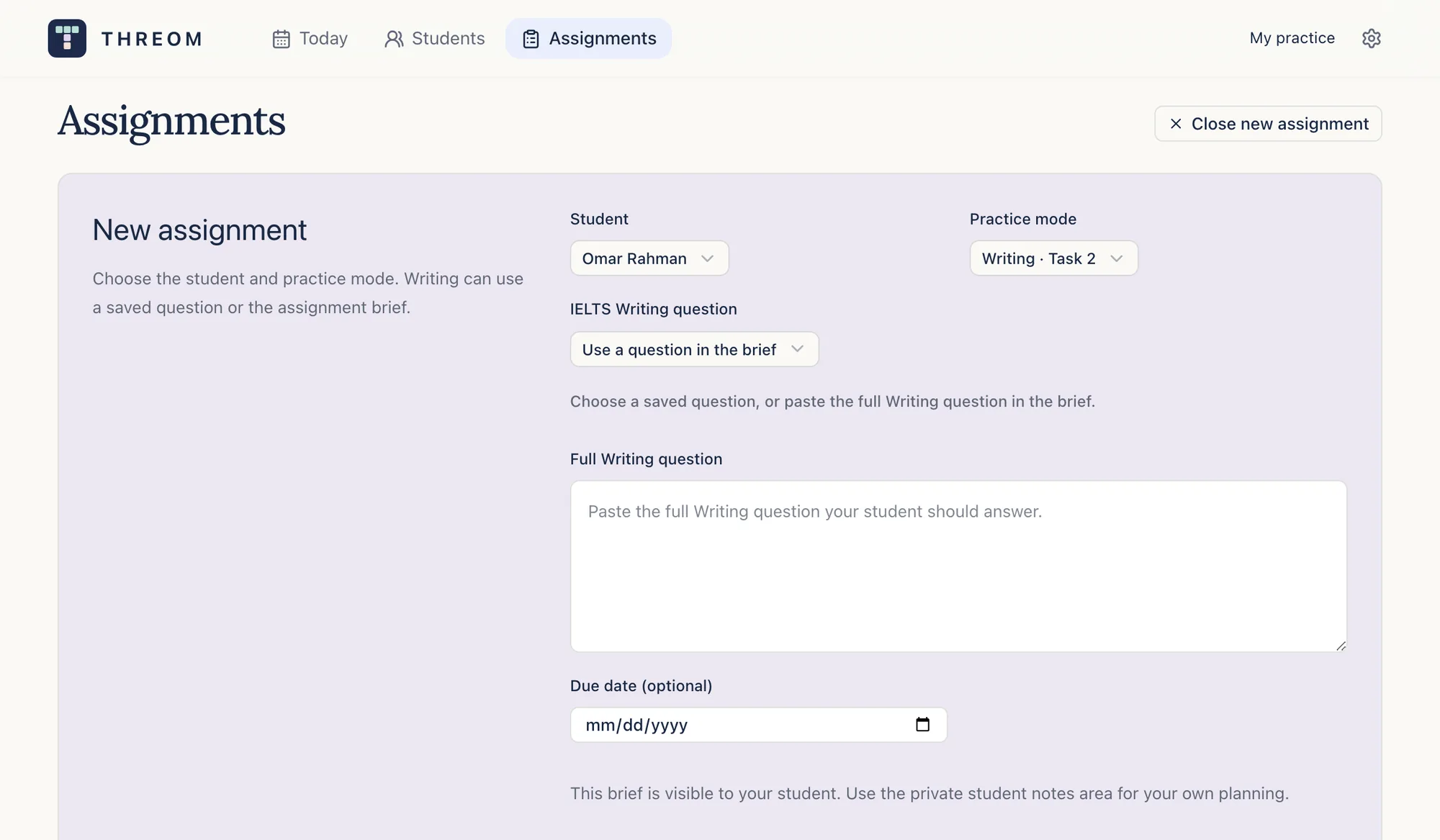
Assignments → Create assignment Read the response, then check the AI review.
Open the submission from Today. Read the essay or listen to the recording first, before any estimate.
Click AI review. The analysis takes about a minute. Keep, edit or set aside each finding; the student sees only what you keep.
Select any sentence to add your own comment in the Tutor feedback tab.
AI bands are practice estimates. Your judgement is what the student learns from; say what in this response supports it.
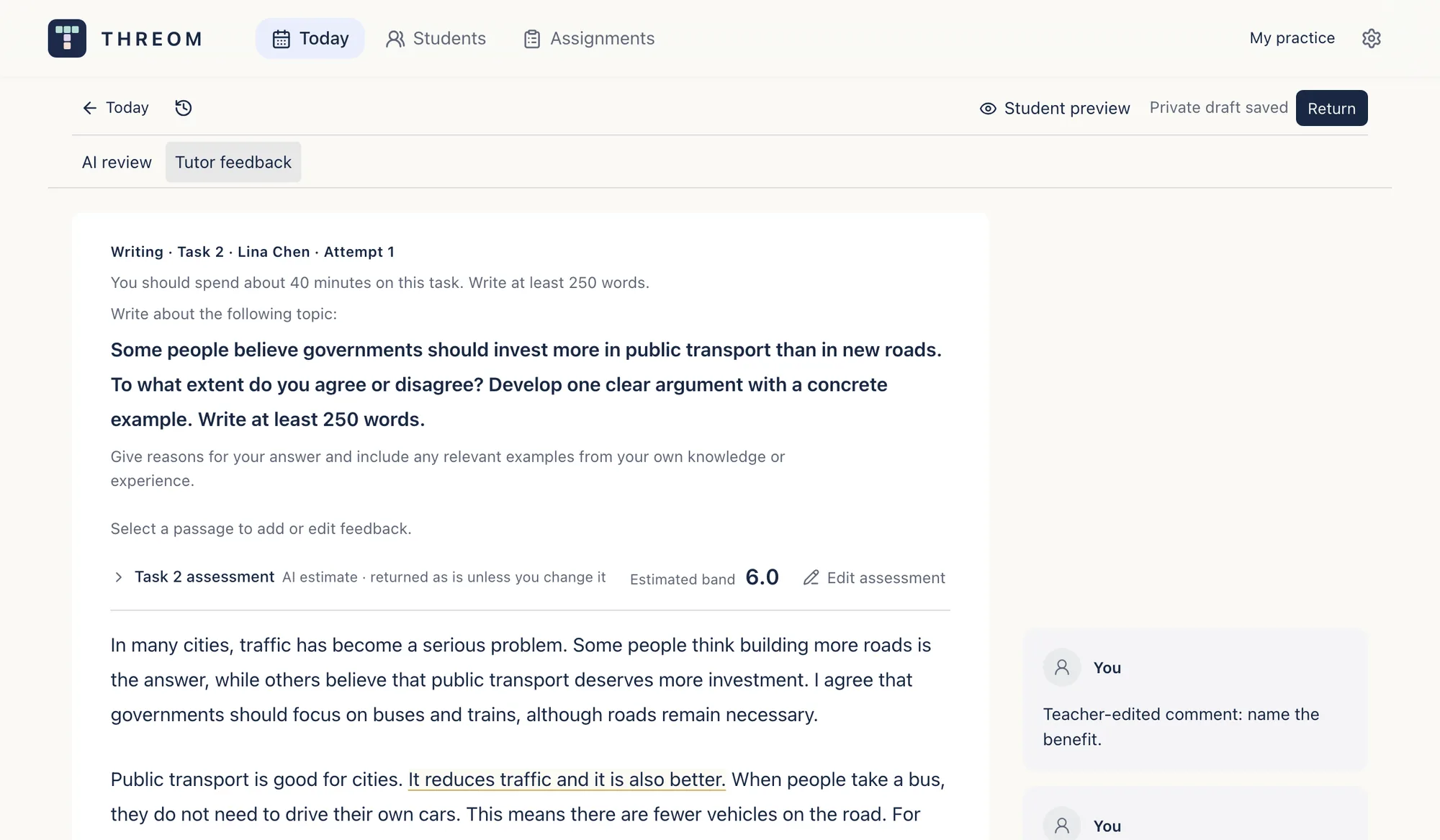
Today → a submission → AI review Return one next step.
Click Return. Write the one thing the student should work on next.
Tick Ask for a revised attempt when you want a second version of the same task.
The student receives your kept findings, the assessment and your next step together. Private drafts stay private until you return.
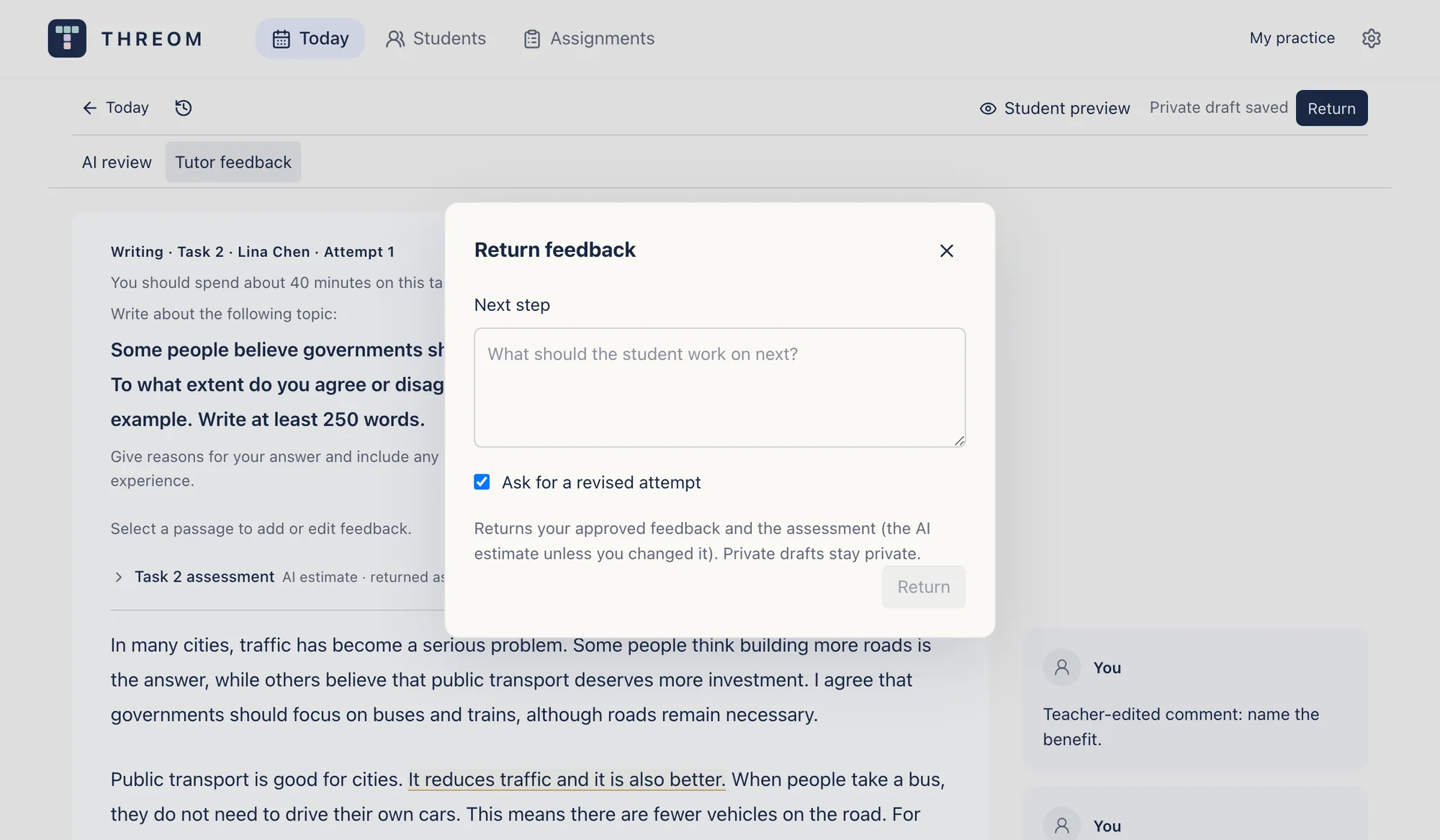
Review → Return Look for the change.
The student revises with your marks beside the text and submits attempt two. Your next step stays visible above the essay.
Attempt two arrives in your queue with a fresh AI review. Compare it with the focus you set, not with the band.
Name the concrete improvement, then set the next focus. A higher band is a result, not the goal of one revision.
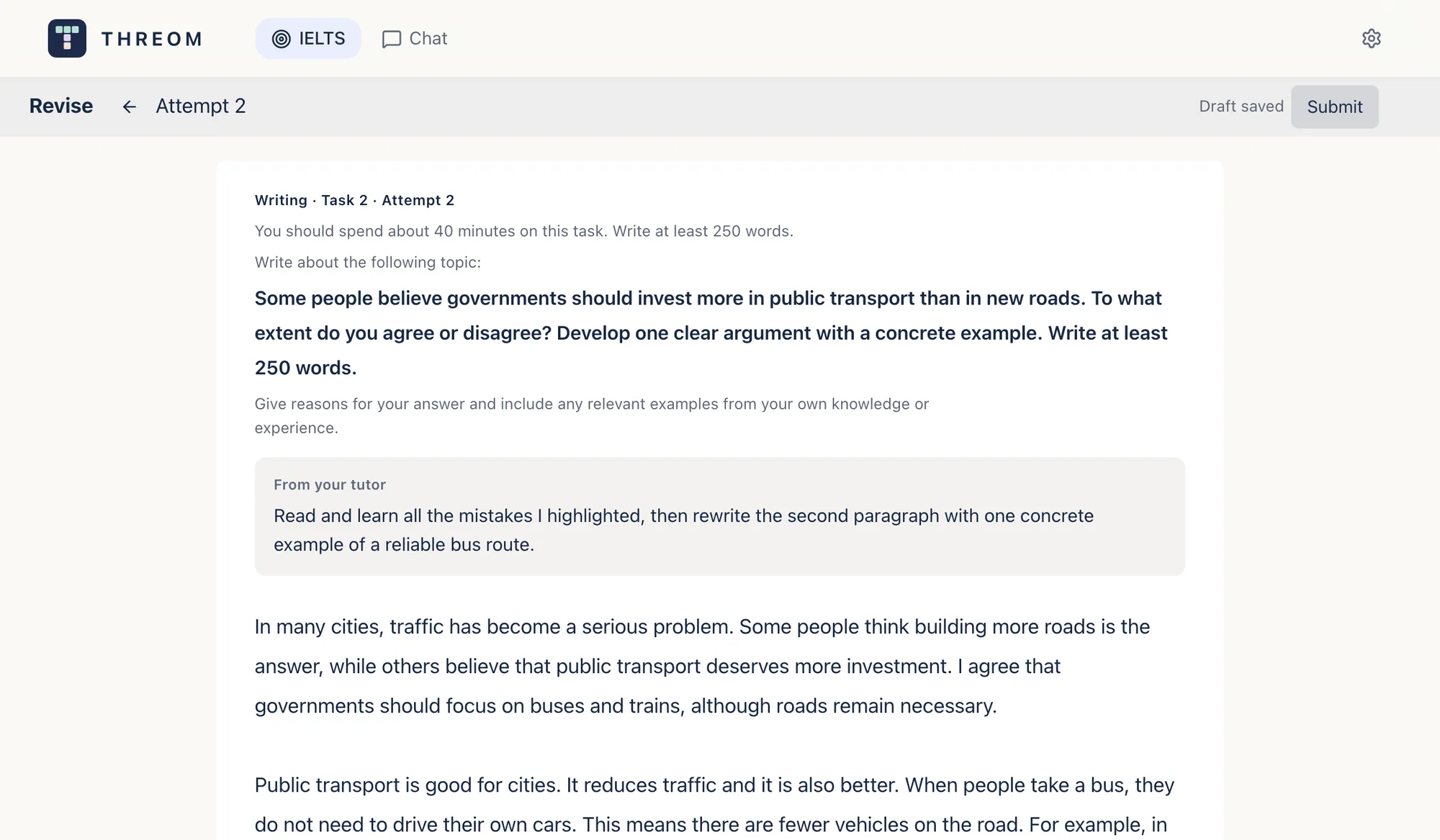
Student's view → Revise → Attempt 2
What to look for
The official criteria as questions. One useful next action beats a list of errors.
Writing Task 2
- Task Response: does the essay answer the actual question and explain its position?
- Coherence and Cohesion: can the reader follow how the ideas connect, and what each paragraph is for?
- Lexical Resource: are the words precise and varied enough for the meaning, without losing the student's voice?
- Grammatical Range and Accuracy: which patterns are controlled, and which recurring error changes the meaning? Teach one pattern at a time.
Speaking
- Fluency and Coherence: does the answer develop and stay easy to follow? A pause for thought is not an error.
- Lexical Resource: can the speaker say and clarify what they mean, including by paraphrasing?
- Grammatical Range and Accuracy: are the spoken structures varied and controlled? Judge the effect of an error, not its count.
- Pronunciation: is the recording intelligible, with meaningful stress and rhythm? Only the audio can show this, never a transcript.
Task 2 alone is not a full Writing score, and a revised essay shows work on that essay, not mastery; use a fresh task to check transfer. Official IELTS assessment criteria
- Missing AI analysis is not a band of zero. Review the work that is there and say what its status is.
- A typed transcript cannot show pronunciation. Listen to the recording before you comment on it.
- While linked, you can also see the student's own practice history, not only assigned work. Recordings reach you only after the student's one-time consent, and the student can disconnect in Settings.
- Payment and linking are separate. A student can pay for themselves; you can pay for a linked student. Paying does not give you personal practice access. See student access and pricing.
- An invite that will not open, a saved response without analysis, a student who lost access: the fixes are in Help.
Start with one student and one task.
Make the focus clear, read the response, and return guidance the student can use in the next attempt.